
No MoreApp account yet? Sign up here.
An API key is a unique identifier used to authenticate when using MoreApp’s API.
Note: This feature is available in all the plans, but you need to have the permission to manage users.
1. Add your API key
Access the MoreApp Platform and open your profile’s dropdown menu in the top right corner. Under the Settings section, click on Connections.
Now, open the API keys tab and click on Add API key.
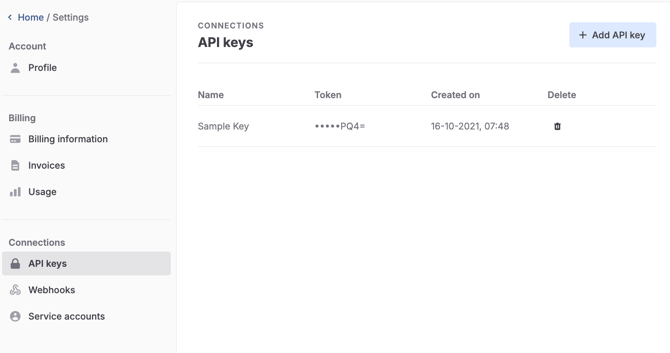
Note: You can add a maximum of 20 API keys per account.
2. Create your API key
Give the new API key a name and click on Create.
Once you save it, a message containing your API key will appear on your screen.
Keep the new API key safe and store it in a secure place. Click on Copy and put the key in a password manager, for example.
If you are sure that the API key is securely saved, click on the cross to close the pop-up.
Note: You will not be able to see this key again.
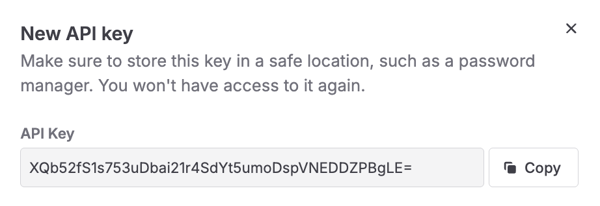
The API key you just created will be added to the list on the Platform.
3. Test it out!
Now, authenticate your API key. Add the X-Api-Key header to your requests using the API key created as its value.
Notes:
-
API endpoints that are not documented in our Developer Docs can not be accessed with an API key (yet). These will result in a 403 status code. Let us know if you are missing endpoints you would like to use.
-
Every API which is not documented in our API documentation can be changed at any moment.
Want to stay up to date with our latest tutorials? Go to YouTube and hit the Subscribe button!