
No MoreApp account yet? Sign up here.
1. Access Billing
Log in to the MoreApp Platform and open your profile’s dropdown menu in the top right corner. Click on Billing.
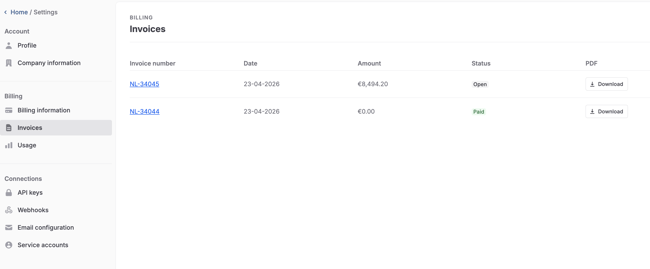
Then, go to the Invoices tab to see all of your invoices.
You will see the Invoice number, Date, Amount and Status of the invoice.
2. Download the invoice
Under the PDF column, you have the option to download your invoices. Click on Download. Now the file is saved on your device.
Want to stay up to date with our latest tutorials? Go to YouTube and hit the Subscribe button!