
No MoreApp account yet? Sign up here.
There are two kinds of placeholders in MoreApp:
- Placeholders that are used in fields
- Placeholders that are used in the email and PDF report
1. Placeholder for fields
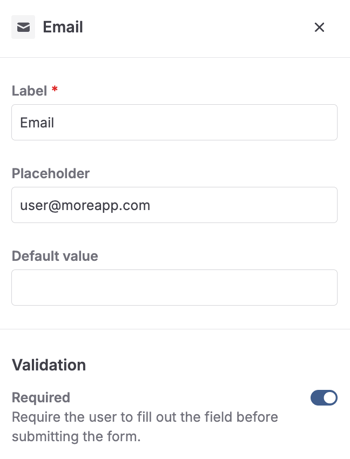
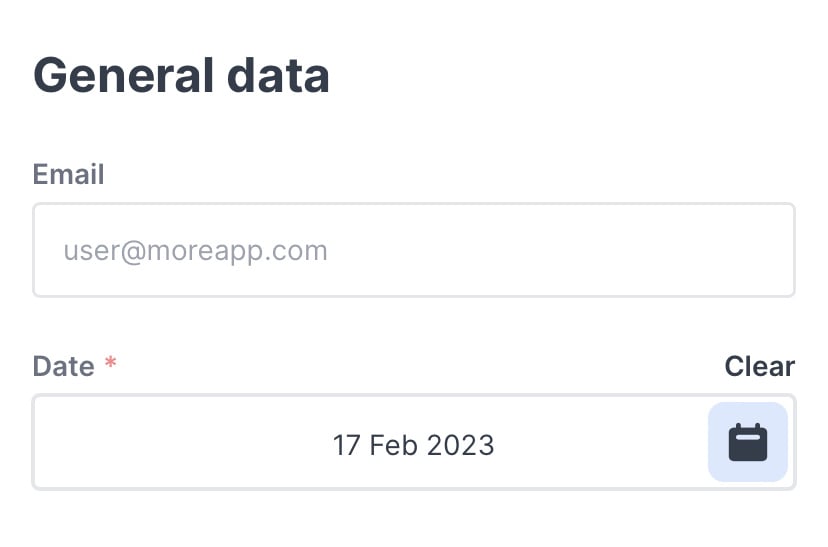
The placeholders that are used in the fields show an example of what can be filled in. For example: when configuring the Email field, you can use an email as the placeholder.
This is shown in your form as follows:
2. Placeholders for your email or PDF
When you create an email for your form, you can use Placeholders in the From, Reply To, and Subject fields and in the body. These placeholders are for a piece of code that shows the filled-in data of that particular field in the email and PDF report.
Click on the thunder icon, and you will see a whole list of all the fields you've added to the form. You will also find placeholders that show variables like longitude, latitude and serial number.
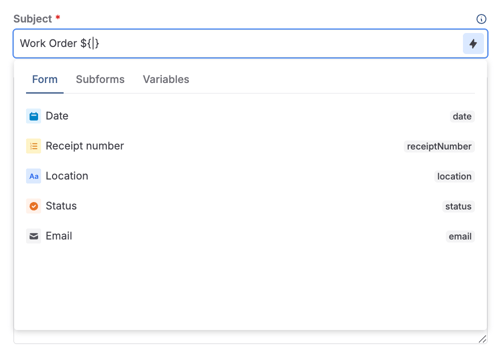
Choose a position in the body of the email. Next, click on a placeholder.
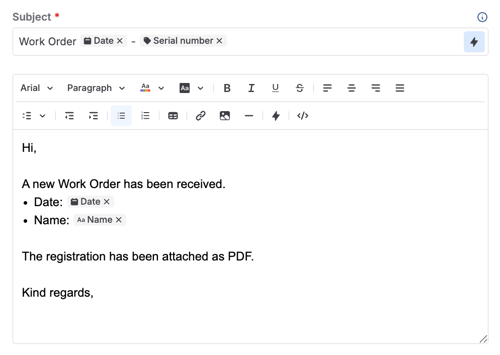
As a result, when, for example, the name Sophie is filled in, that name will appear in the email instead of the placeholder ${name}.
Want to stay up to date with our latest tutorials? Go to YouTube and hit the Subscribe button!